Documentation
How PhysGTS works
A practical introduction to the platform: from input data to a reviewable engineering result.
What PhysGTS does
PhysGTS is an AI platform for engineering simulation automation inside your organization’s infrastructure. It connects problem definition, model preparation, execution, analysis, and engineering conclusions in one workflow.
- The primary public workflow is computational fluid dynamics (CFD).
- The platform helps execute the simulation workflow; engineers remain responsible for assessing model suitability and making decisions.
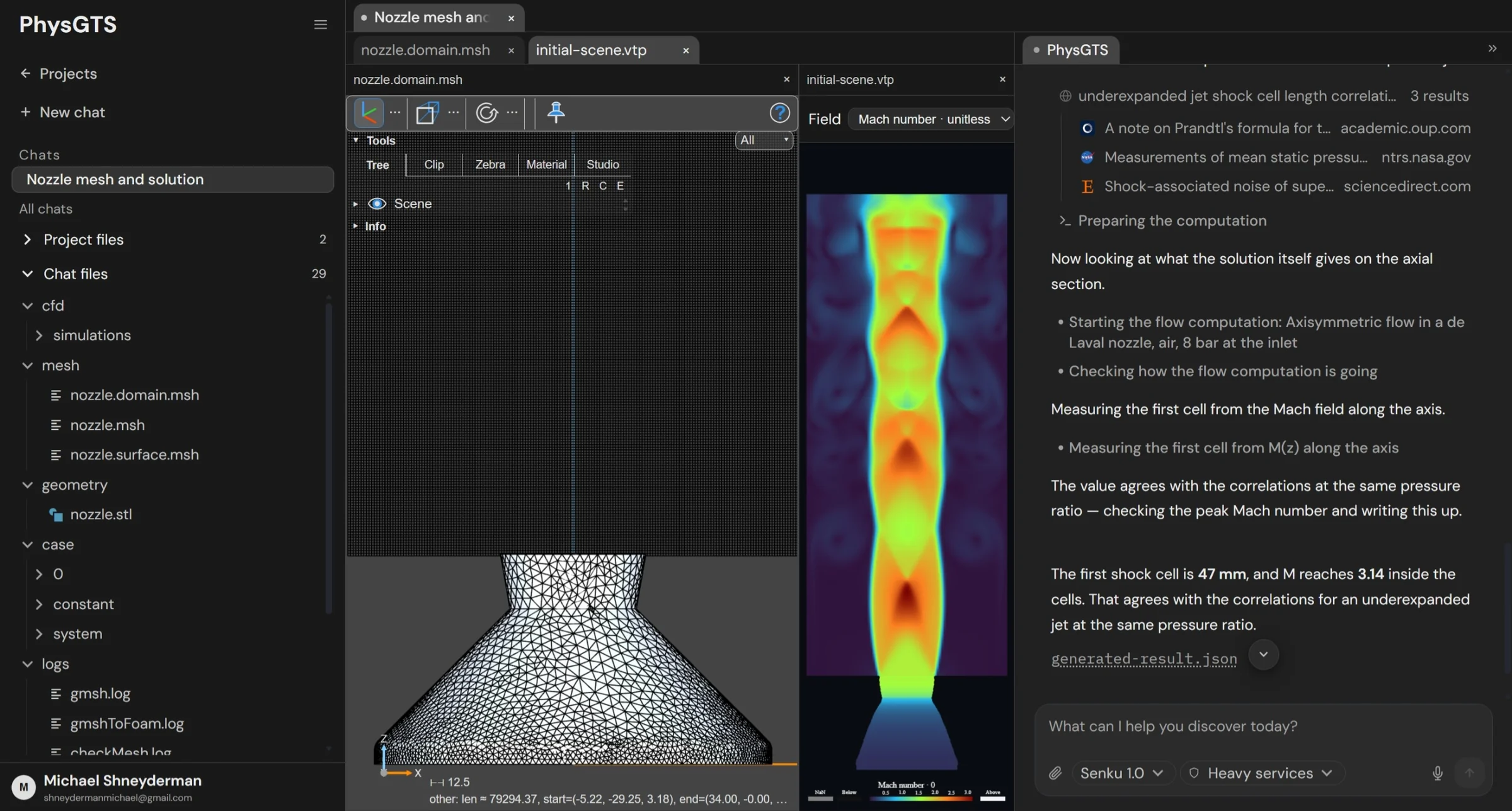
Preparing a task
Start with an engineering question: what to determine, which variants to compare, and how to evaluate the result. Upload the geometry and input data needed for your task.
- Specify operating conditions, fluid or material properties, and boundary conditions.
- Define the quantities of interest, such as pressure drop, flow rate, or velocity distribution.
- Identify known assumptions and reference data: experiments, analytical estimates, or previous simulations.
The CFD workflow
Work proceeds through successive stages. Problem definition establishes the physical model; preparation connects geometry, mesh, and simulation parameters; execution produces results for analysis.
- Definition: simulation objectives, input data, and assumptions.
- Preparation: computational domain, mesh, and settings for the selected solver.
- Execution: running the simulation and monitoring its progress.
- Analysis: fields, plots, and conclusions tied to the original engineering question.
Reviewing results
A completed run does not by itself prove that a model is correct. PhysGTS retains workflow steps and simulation materials in the project so an engineer can review the setup and the basis for each conclusion.
- Check geometry, units, and boundary conditions against the original task.
- Assess convergence and physical plausibility; check sensitivity to mesh and settings when needed.
- Compare the result with available reference data and state the limitations of the conclusion.
Where data and compute live
PhysGTS is designed to run inside customer infrastructure. Hosting, compute capacity, data access, and integration requirements are agreed for each deployment.
- Before a pilot, determine which data can be used and who should have access.
- Available solvers and engineering integrations depend on the task and the agreed configuration.
Starting a pilot
Choose one repeatable simulation task with a clear evaluation method. This makes it possible to assess the value of automation using your workflow and your data.
- Prepare example input data and a description of your current process.
- Agree on automation boundaries, required integrations, and success criteria.
- Review the result with your engineering team and define the next deployment step.